Voor Engels zie onderaan de pagina.
Hoe bewerk ik het bedrijfsprofiel? Ik zie mijn logo niet ingevuld op de website?
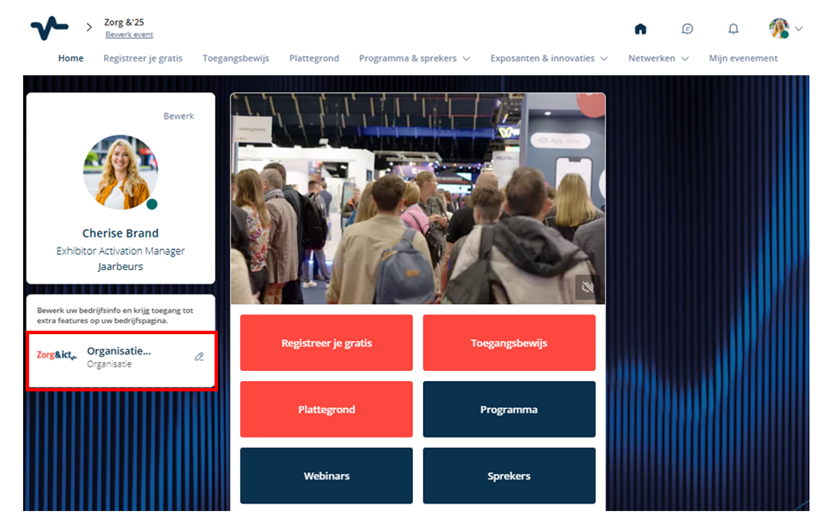
In het eventplatform kun je jullie eigen bedrijfsprofiel bewerken. Onder je eigen persoonlijke profiel zie je jullie bedrijfsnaam staan. Via het potlood-icoon open je de bedrijfspagina.
Belangrijk: Zie je jullie bedrijfsprofiel niet staan? Dan heb je waarschijnlijk niet de accountcode uit MyJaarbeurs gebruikt om direct gekoppeld te worden. Vraag een teamlid om je toe te voegen.
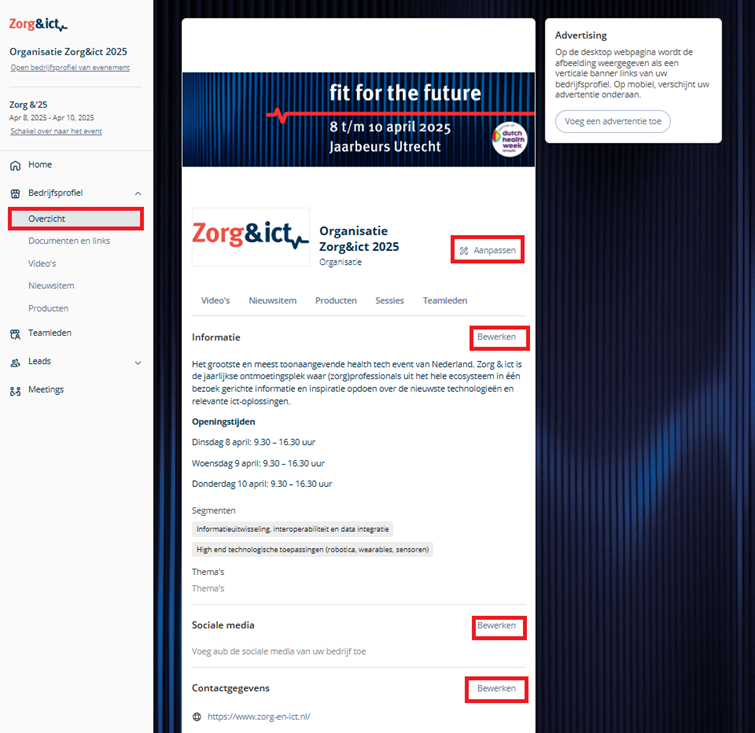
Op de bedrijfspagina klik je links in de menubalk op de tweede tab "Bedrijfsprofiel" en vervolgens op "Overzicht". Via de "Bewerken"-knoppen kun je hier onder andere een logo, bedrijfsinformatie, segmenten en thema’s, sociale media en contactgegevens toevoegen of aanpassen. Daarnaast kun je via de menubalk ook documenten en links, video’s, nieuwsitems en producten toevoegen.
How do I edit my company profile?
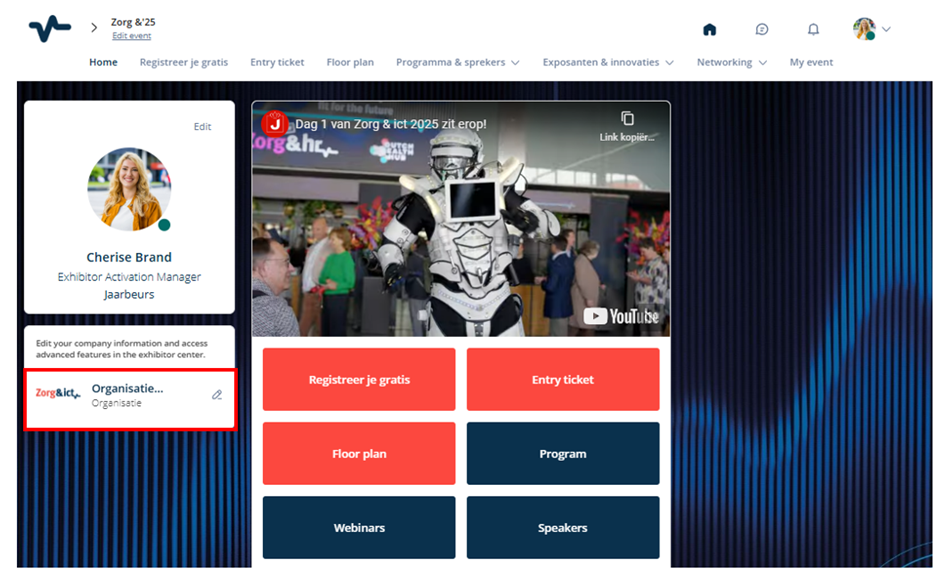
In the event platform, you can edit your own company profile. Under your personal profile, you will see your company name. Click the pencil icon to open the company page.
Important: Don’t see your company profile? You likely didn’t use the account code from MyJaarbeurs to be directly linked to your company profile. Ask a team member to add you.
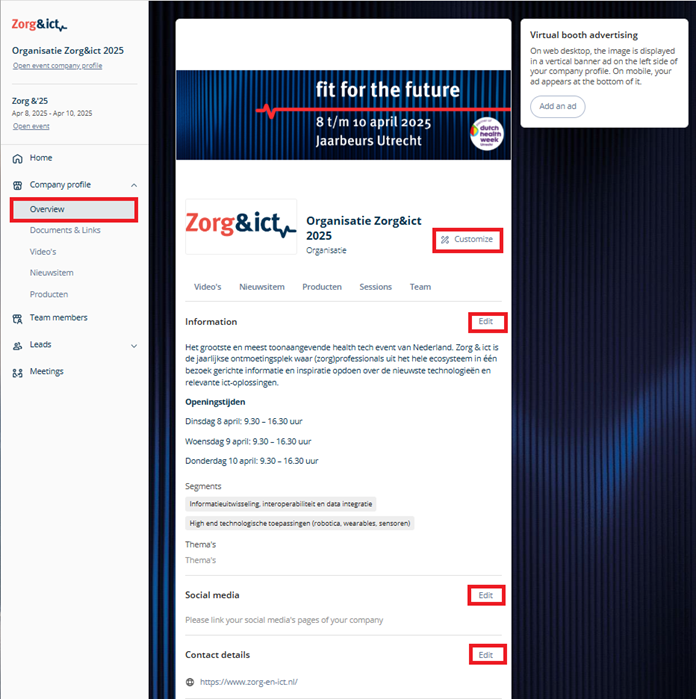
On the company page, click on the second tab "Company Profile" in the menu on the left, and then select "Overview". Using the "Edit" buttons, you can add or update your logo, company information, segments and themes, social media links, and contact details.
You can also add documents and links, videos, news items, and products via the menu.
Please note: The options for adding items may vary depending on your participation package.
Was dit artikel nuttig?
Dat is fantastisch!
Hartelijk dank voor uw beoordeling
Sorry dat we u niet konden helpen
Hartelijk dank voor uw beoordeling
Feedback verzonden
We stellen uw moeite op prijs en zullen proberen het artikel te verbeteren