Voor Engels, zie hieronder
Hoe voeg ik een collega/stand personeel toe aan mijn bedrijfsprofiel?
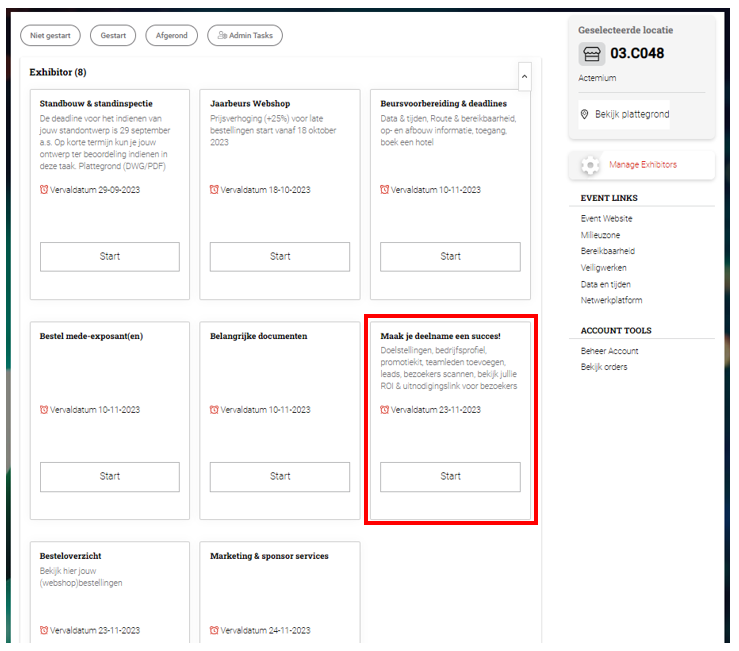
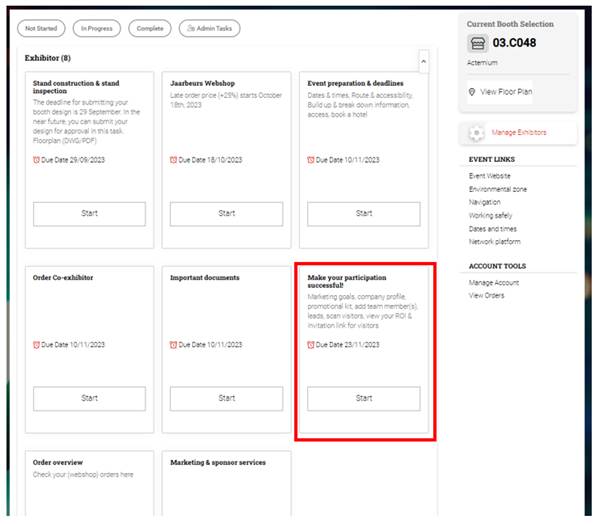
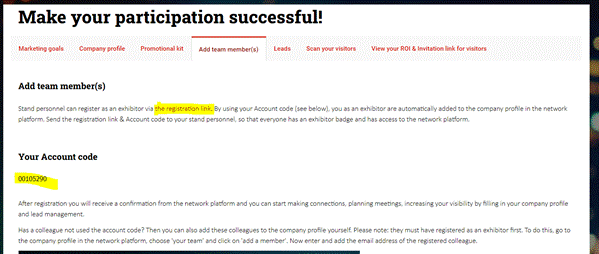
In MyJaarbeurs vind je onder de taak ''Maak je deelname een succes!'' de tab ''Teamleden toevoegen''. Hier vind je de link naar de exposanten registratie voor jouw beurs. Ook vind je hier ''Jouw accountcode'', door deze code te gebruiken tijdens jouw registratie kom je automatisch in het bedrijfsprofiel van jouw bedrijf binnen het eventplatform.
Hoe kan iemand toevoegen zonder de accountcode te gebruiken?
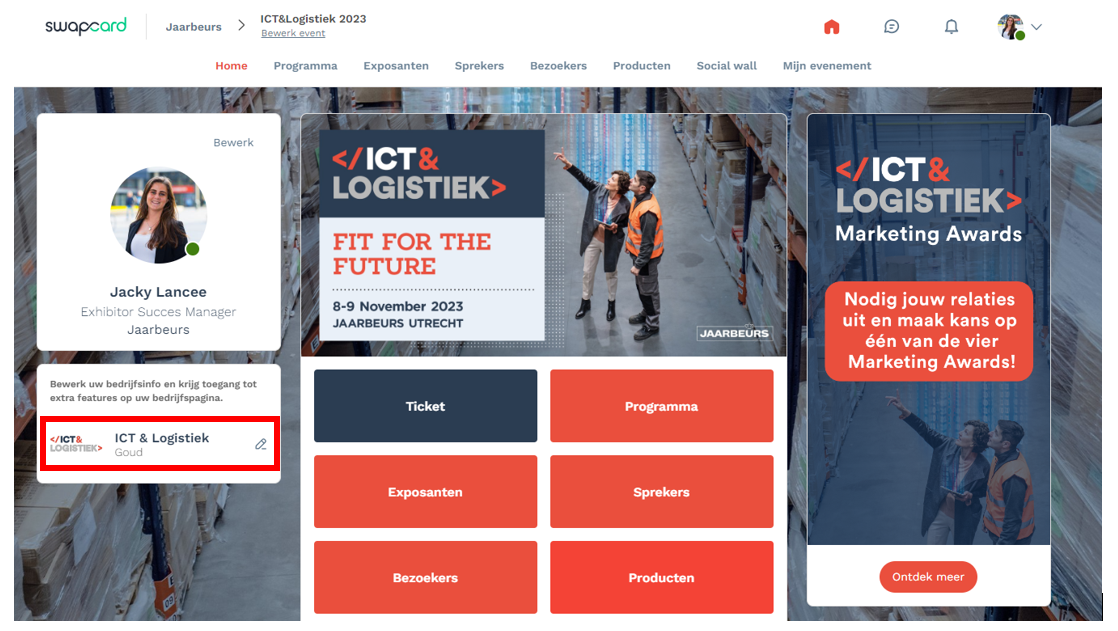
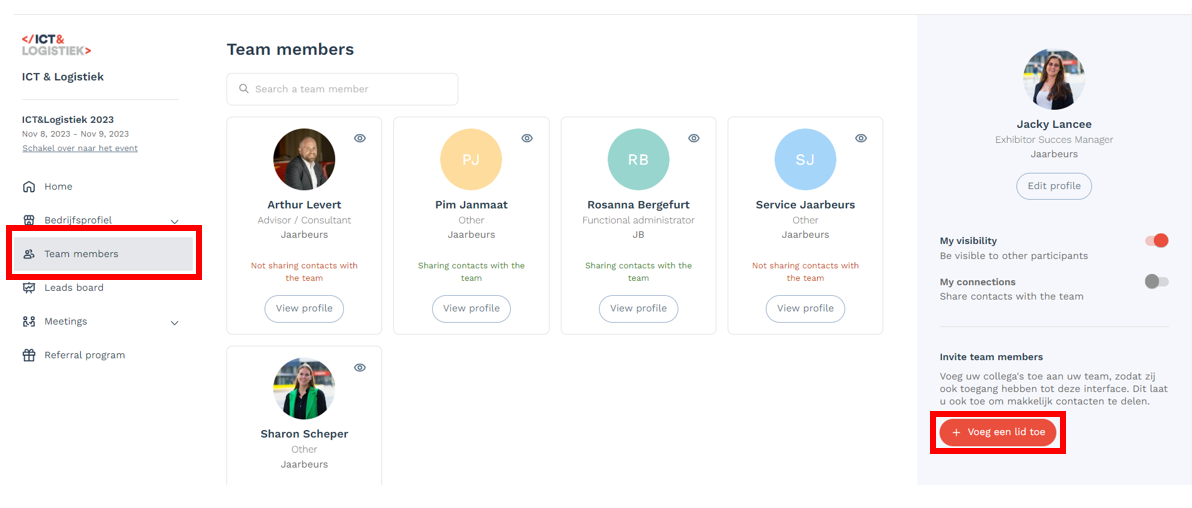
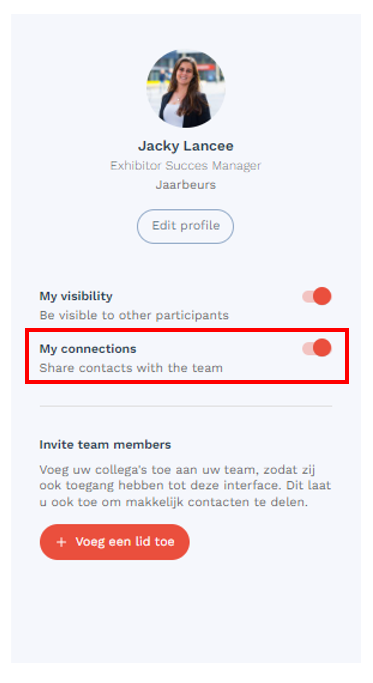
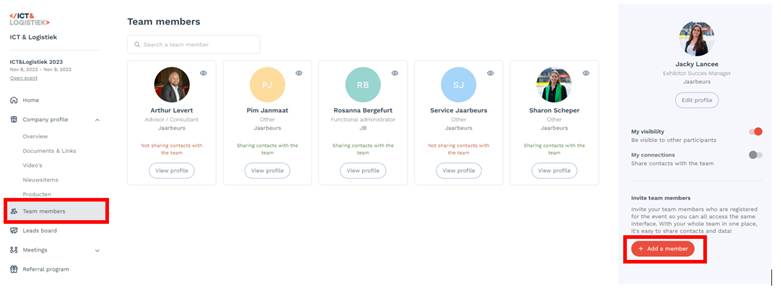
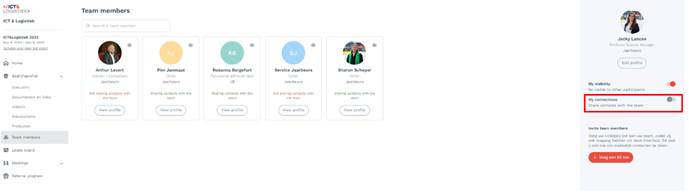
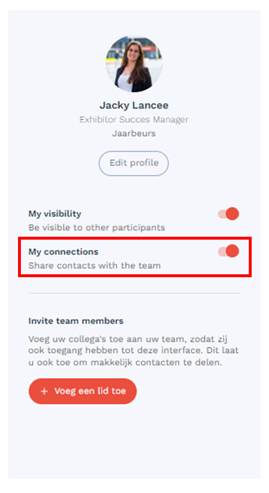
Zodra jouw collega zich heeft geregistreerd maar geen gebruik heeft gemaakt van de accountcode kan je jouw collega toevoegen in het exposantencenter op het eventplatform. Log hiervoor in op het eventplatform en ga via de homepagina naar je bedrijfsprofiel. Klik op het bedrijfsprofiel en daarna klik je op “team members’’. Volg onderstaande stappen om je collega toe te voegen aan jullie bedrijfsprofiel. Belangrijk is dat zodra jouw collega is toegevoegd aan het bedrijfsprofiel, je collega zelf de knop “Deel contacten met het team” aanzet.
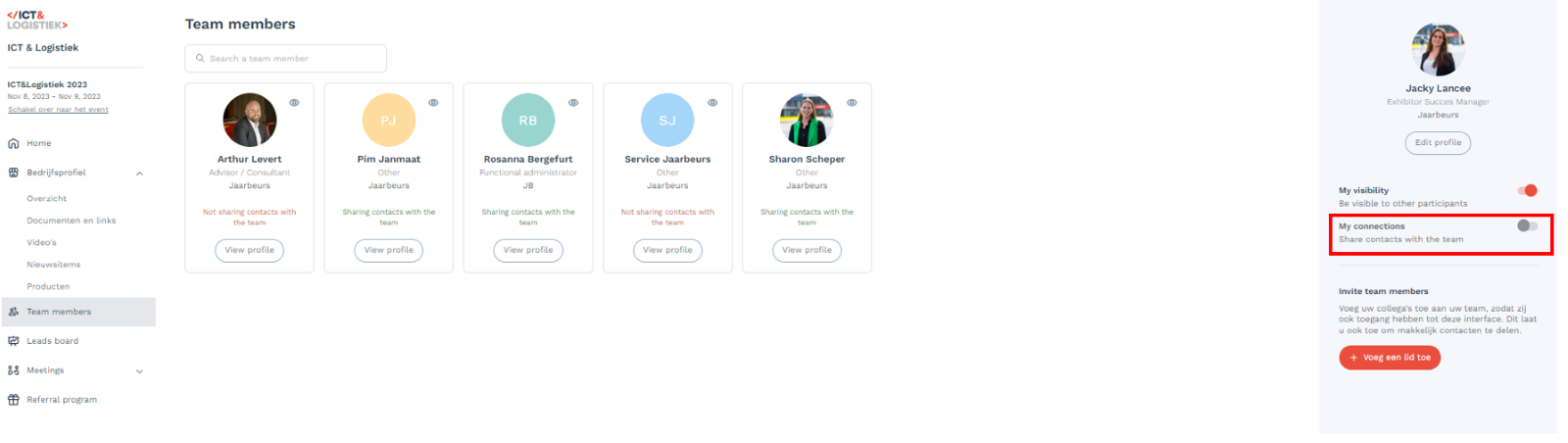
Deel contacten met team:
How do I add a colleague/stand staff to my company profile?
In MyJaarbeurs you will find the tab ''Add team members'' under the heading ''Make your participation a success!''. Here you will find the link to the exhibitor registration for your exhibition . You will also find ''Your account code'', by using this code during your registration you will automatically enter the company profile of your company within the networking platform.
How can someone add without using the account code?
As soon as your colleague has registered but has not used the account code, you can add your colleague in the exhibitor center, on the home page you will find your company profile. Click on the company profile and then click on "Your team". See below a number of accompanying screenshots so that you can immediately link your colleagues properly. It is important that if your colleague has been added to the company profile, he himself turns on the button "Share contacts with the team".

Share connections with team:
Was dit artikel nuttig?
Dat is fantastisch!
Hartelijk dank voor uw beoordeling
Sorry dat we u niet konden helpen
Hartelijk dank voor uw beoordeling
Feedback verzonden
We stellen uw moeite op prijs en zullen proberen het artikel te verbeteren