Voor Engels zie onderaan de pagina.
Waarom zie ik alleen mijn eigen leads terug als ik een export uitdraai?
Waarschijnlijk hebben niet al je collega’s toestemming geven om hun leads te delen met het team. Dat is de reden dat je geen leads terugvindt als je een export uitdraait
Je collega's kunnen dit zelf aanzetten in de app of via de webversie op de volgende manier. Jij kan dit helaas niet voor je collega's doen.
In de app
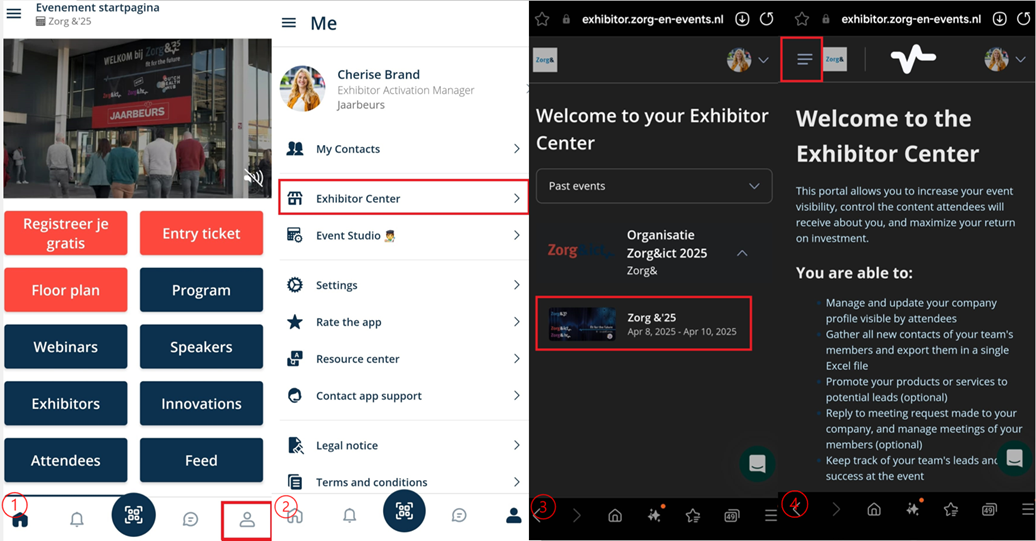
Stap 1: Ga rechts onderin naar je persoonlijke profiel.
Stap 2: Klik op “exposantencenter”.
Stap 3: Klik op het juiste event.
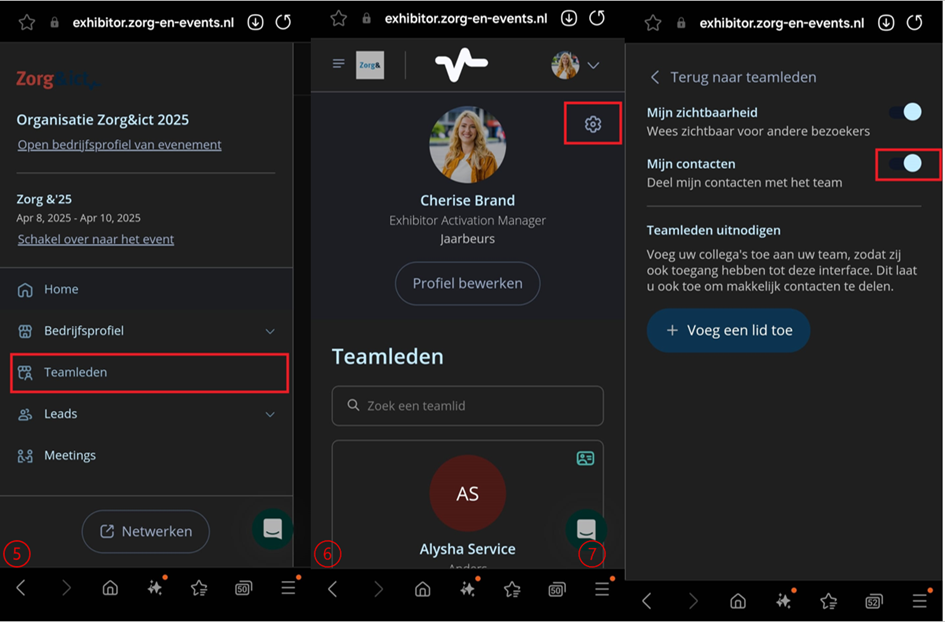
Stap 4: Ga naar menu (3 streepjes) links bovenin.
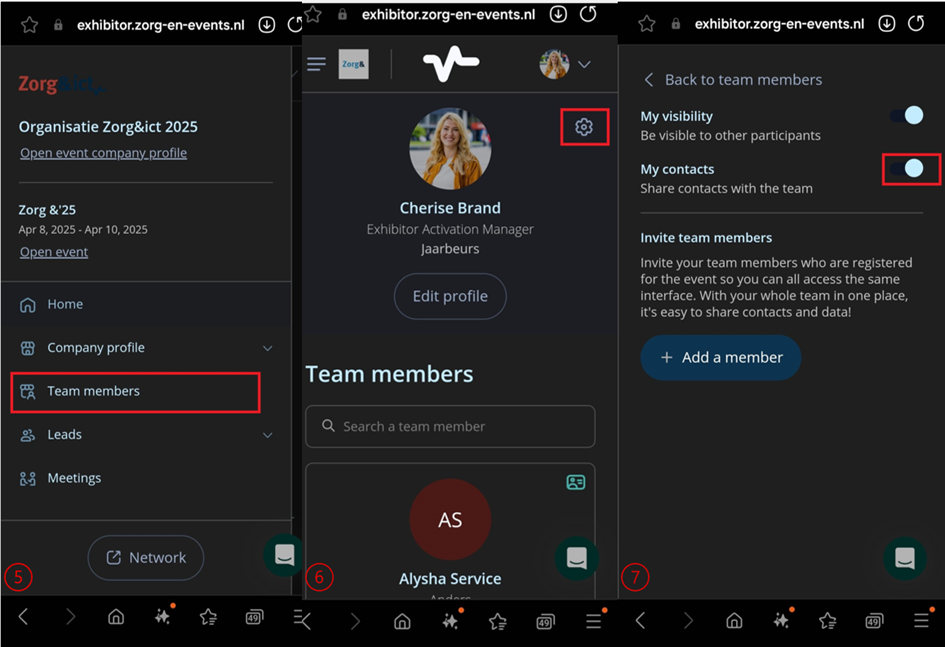
Stap 5: Ga naar “Teamleden''.
Stap 6: Ga naar je eigen naam, klik niet op je naam, maar op de instellingen knop rechts bovenin.
Stap 7: Zet het vinkje “Deel mijn contacten met het team” aan. 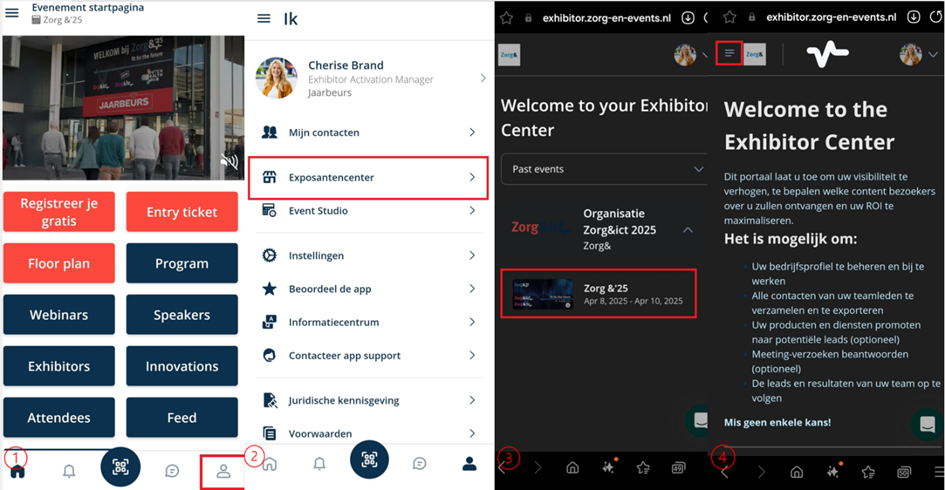
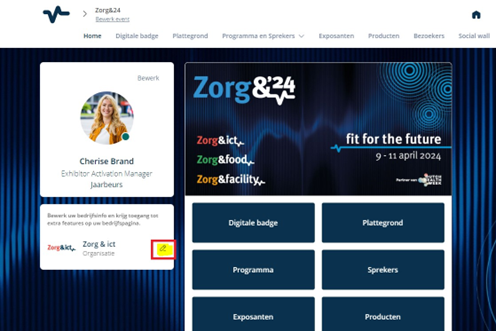
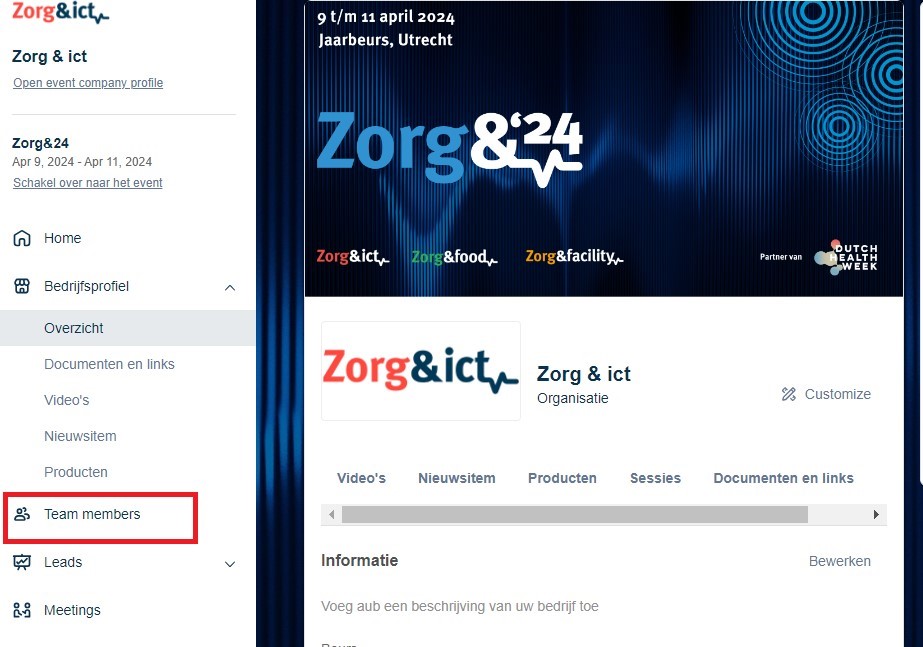
Via de webbrowser
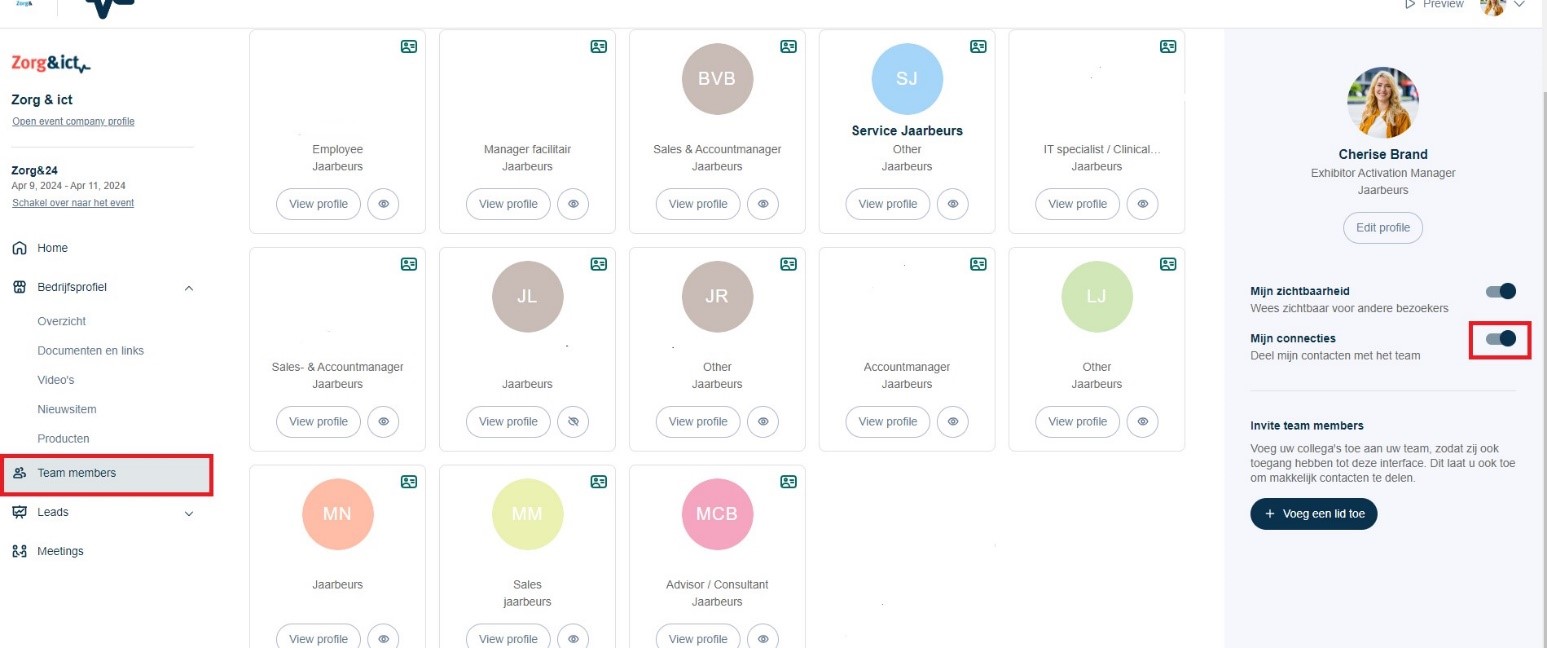
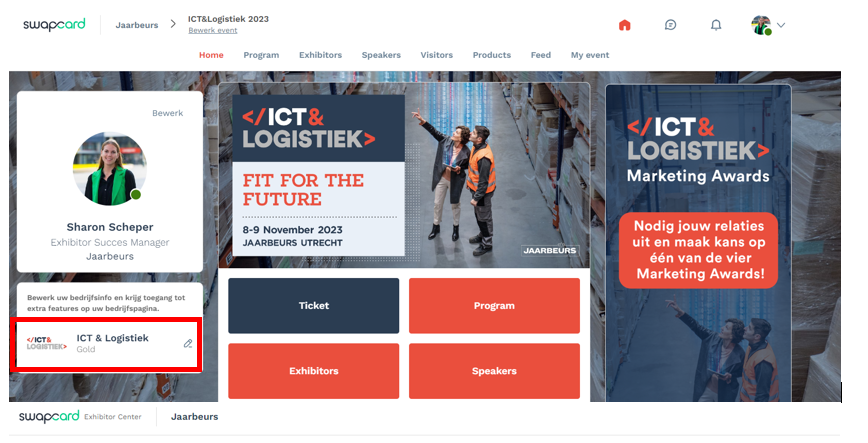
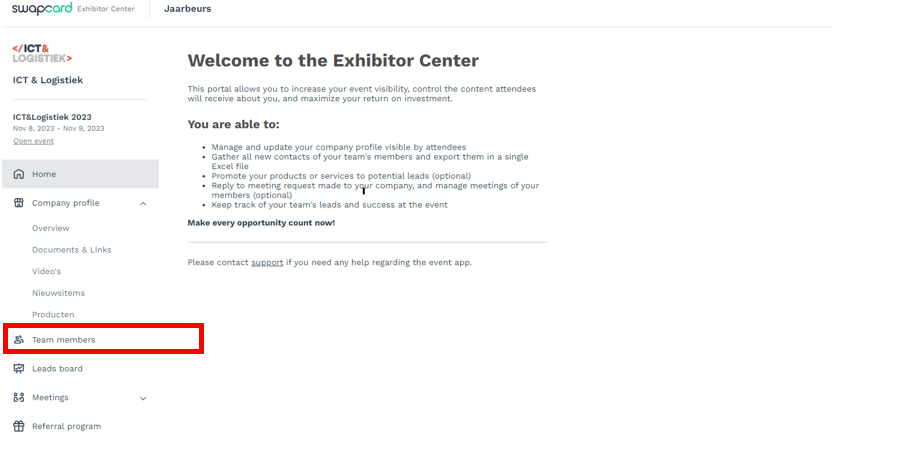
Stap 1: Ga onder je profiel naar het bedrijfsprofiel.
Stap 2: Ga naar “Team Members” aan de linkerkant,
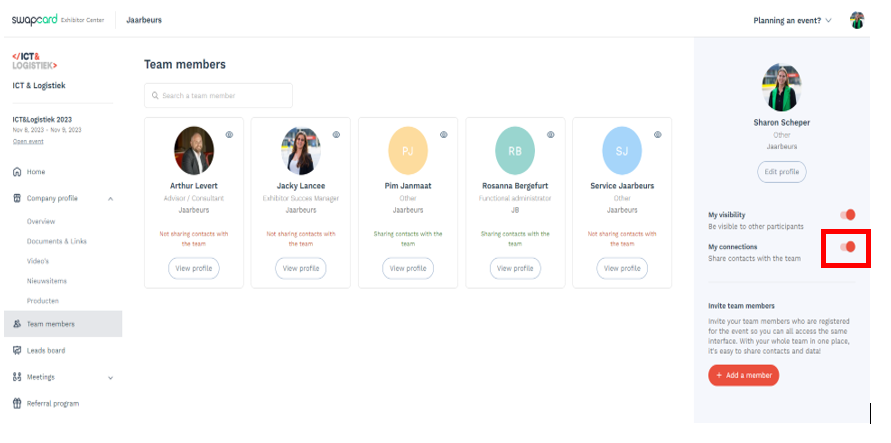
Stap 3: Ga naar je eigen naam aan de rechterkant.
Stap 4: Zet het vinkje “Mijn connecties” aan.
How do I share my scanned contacts with my team?
In the app
Have you scanned the visitor badges with the scan app, but they do not appear in your team's overview? You probably haven't given permission to share your contacts with your colleagues yet. Go through the steps below in the app to do this.
Step 1: Go to your personal profile at the bottom right.
Step 2: Klick on "exhibitor center".
Step 3: Click on the appropriate event.
Step 4: Go to menu (3 dashes) at the top left.
Step 5: Go to “Your team” or “Team Members”.
Step 6: Go to your own name, do not click on your name, but on the settings button at the top right.
Step 7: Put on the button "Share contacts with the team" or "My connections".
Via the web browser
Have you scanned visitor badges with the scan app, but they do not appear in your team's overview? You probably haven't given permission to share your contacts within your company yet. Go through the steps below in the web browser to do this.
Step 1: Under your profile, go to the company profile.
Step 2: Go to "Your team" or "Team Members" on the left.
Step 3: Go to your own name on the right.
Step 4: Put on the button "Share contacts with the team" or "My connections".
Was dit artikel nuttig?
Dat is fantastisch!
Hartelijk dank voor uw beoordeling
Sorry dat we u niet konden helpen
Hartelijk dank voor uw beoordeling
Feedback verzonden
We stellen uw moeite op prijs en zullen proberen het artikel te verbeteren